
Payment link
Accept payments outside the shopping cart. Create a payment link yourself and send it directly to the customer.
How it works
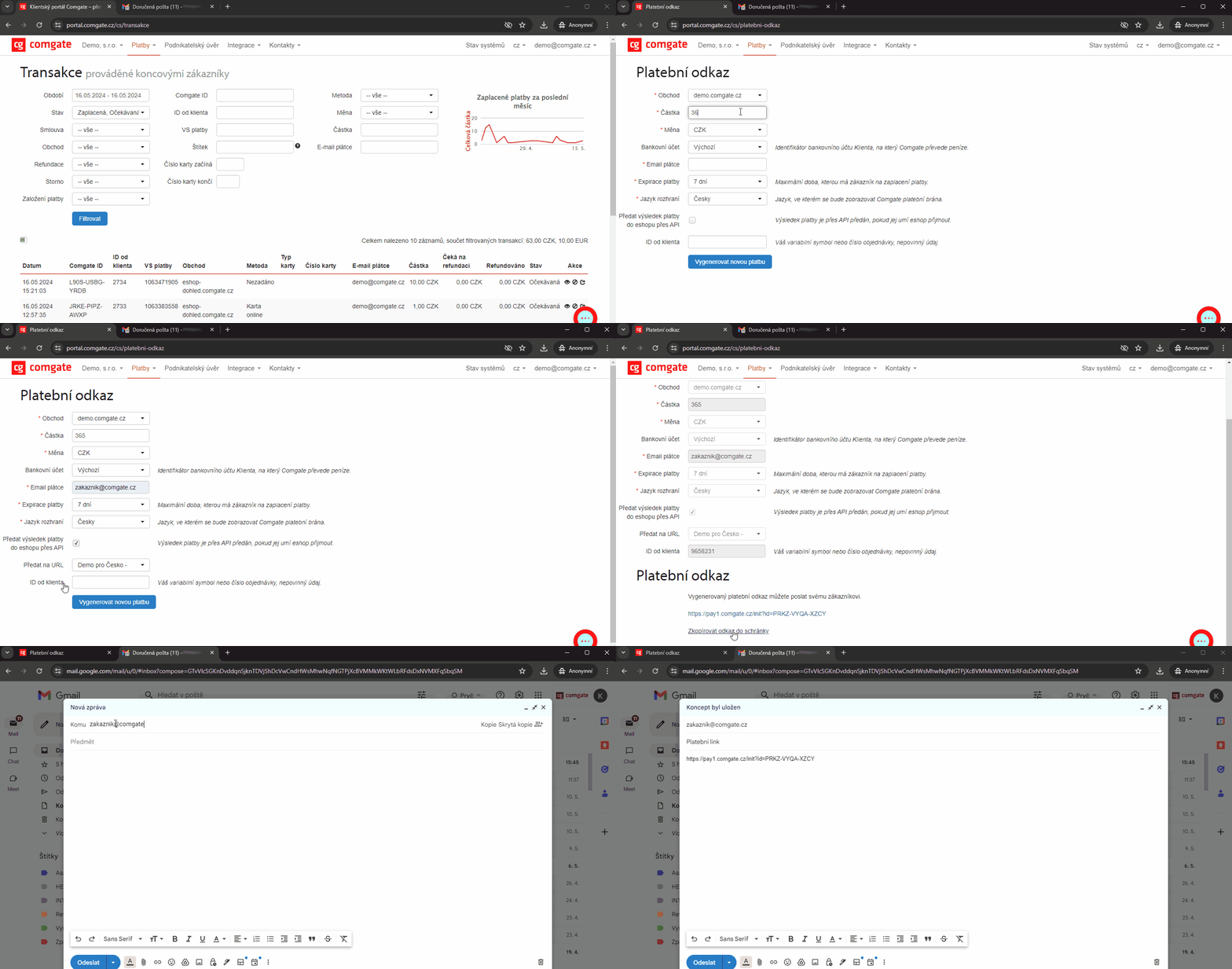
Create a payment link in the Client Portal under Payments. Enter the amount and currency, set the language, expiration and notifications, then generate a link and send it to the customer by email, chat, messenger or SMS.
The customer opens the link and pays through the gateway using a standard payment method. You can also use the link to update an existing order or request an additional payment. You will be notified of the payment by email or via API.
When it is useful
Not every sale goes through a standard shopping cart.
Payment link is useful if you:

need to update an existing order,
accept orders outside your e-shop, for example by phone,
want to send a payment request directly to a customer.
What can it look like?
Looking for more detailed information?
Visit the support portal for guides to all payment gateway features, including setup and everyday use.
Do you have any questions?
We are available online weekdays from 8:00 to 20:00. Your questions will be answered as fast as possible.