
Refunds
Handle returns or complaints easily. You can refund the customer the full amount paid or a portion of it.
How it works
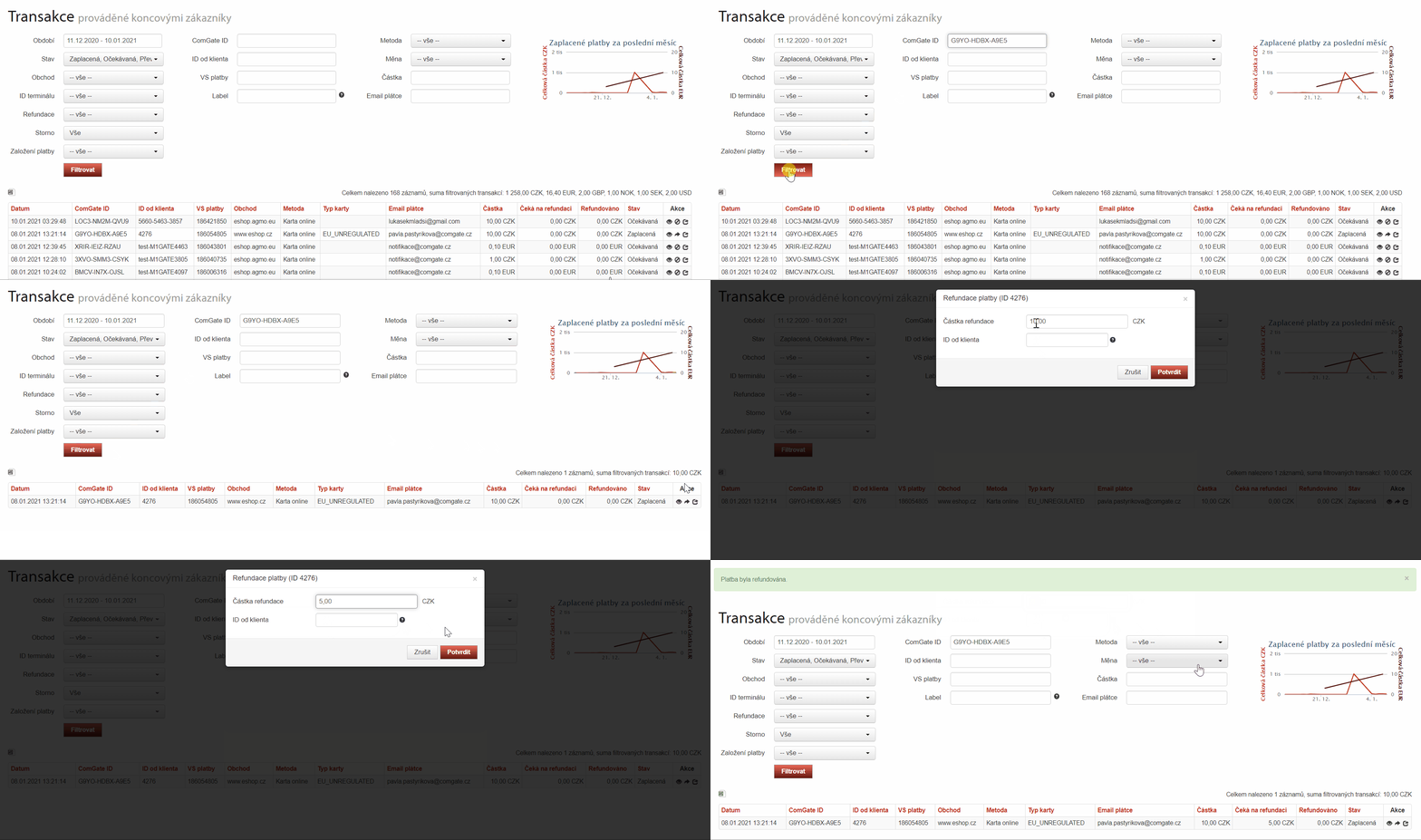
In the Client Portal, locate the paid transaction, select “Refund,” and enter the amount to be refunded. You can also submit the request via the API. For card payments, the money is refunded to the same card the customer used for the purchase.
You can track the refund process in the Client Portal. To process the refund, there must be a sufficient amount of new incoming payments to cover both the refunded amount and the fee. If there are insufficient funds, the request will remain pending.
When to use it
When returning an entire purchase, filing a complaint, or returning a single item from a multi-item purchase. The refund remains linked to the original transaction, and you do not need to initiate a separate bank transfer.
You can correct an incorrectly entered transaction using the "Cancel" function directly on the terminal.
What might that look like?
Looking for more detailed information?
Visit the support portal for guides to all payment terminal's features, including setup and everyday use.
Do you have any questions?
We are available online weekdays from 8:00 to 20:00. Your questions will be answered as fast as possible.