
Tips
Let customers show their appreciation for the service even without cash. They can add a tip directly when paying by card.
How it works
On the terminal, you can set the tip as a percentage or by entering a total amount that includes the tip. For example, you can offer 10, 15, and 20 percent, or your own set of three values. The terminal calculates the amount and displays the total payment before payment is made.
If receipt printing is enabled, the tip will appear on a separate line of the receipt. You’ll also see it listed separately in the payment details on the Client Portal and in the payment export. This makes it easy to see what portion of the payment received is for the tip.
When it is useful
In restaurants, cafes, and other service establishments where customers typically tip staff. Staff don’t have to calculate tips manually, and the business owner has a clear overview of the total amount.
Getting started
You can activate this feature in the Client Portal or through customer support. Upon agreement, tips can also be paid into a separate account.
What might that look like?
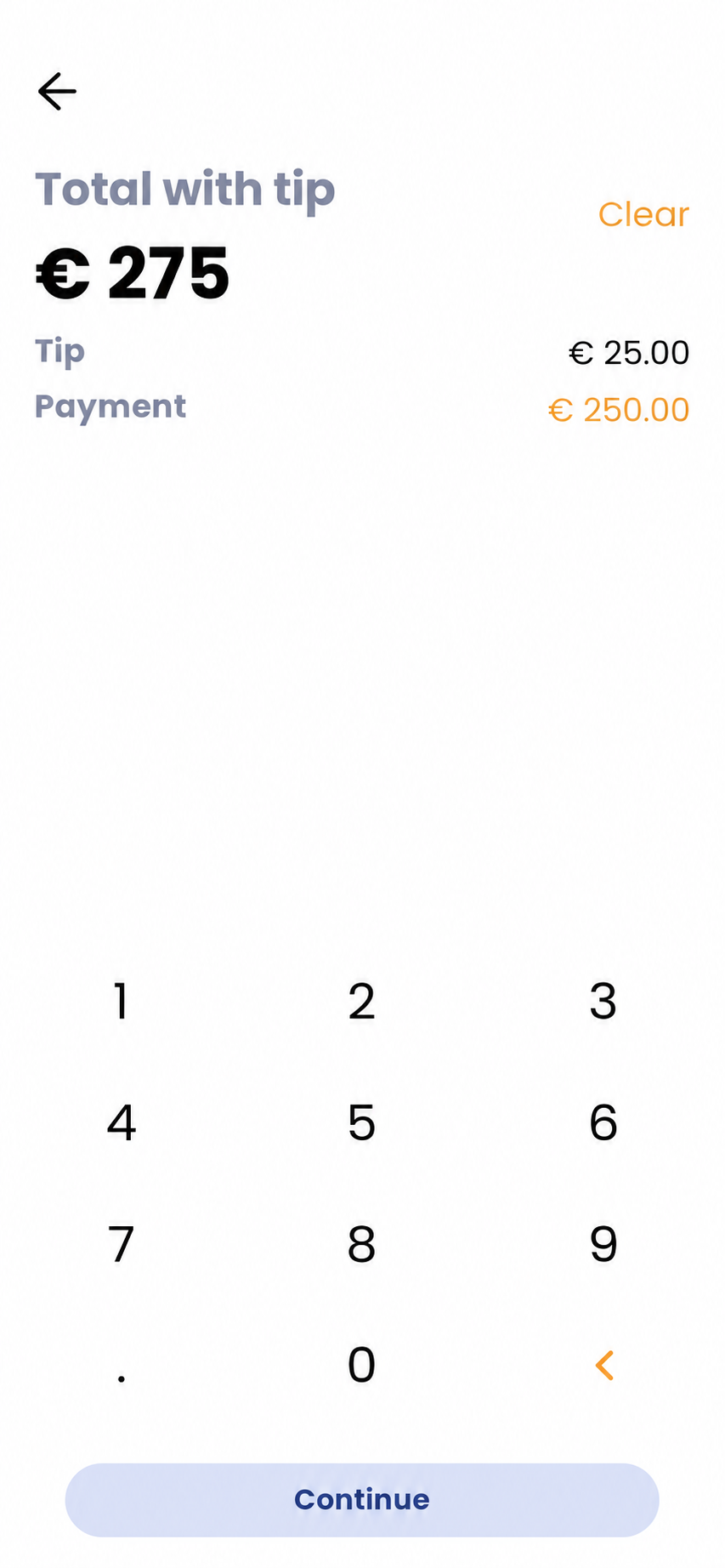
Tip by entering the total amount
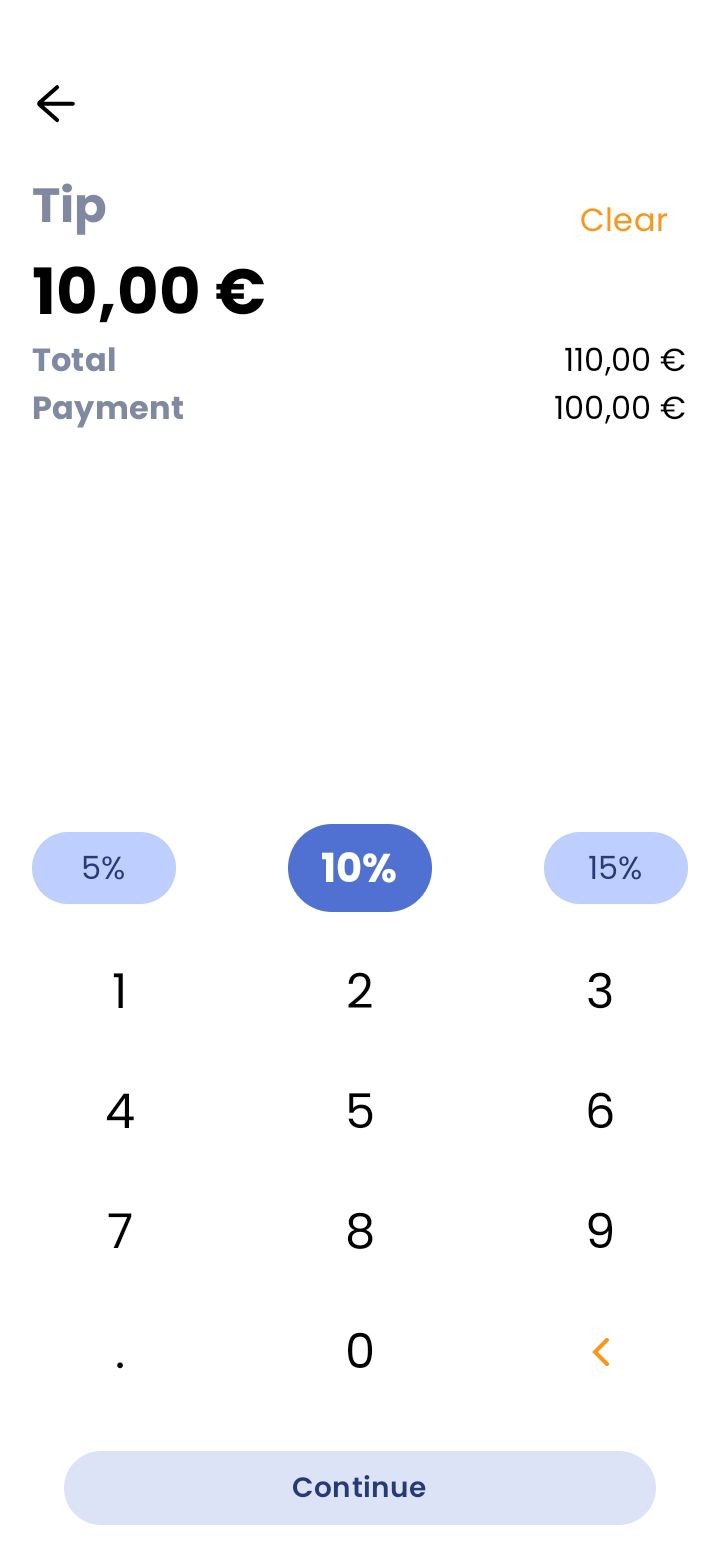
Percentage with a custom amount option
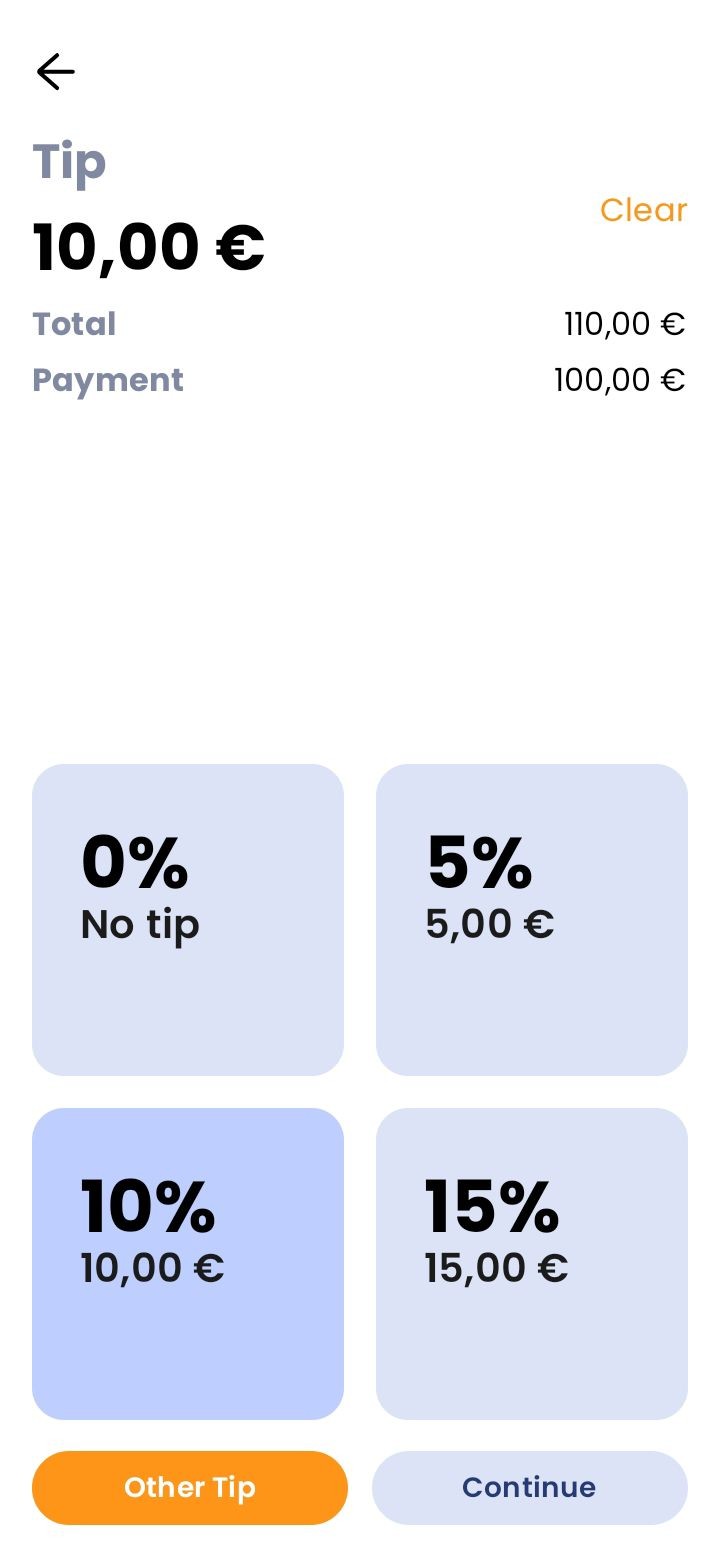
Percentage only – tiles
Looking for more detailed information?
Visit the support portal for guides to all payment terminal's features, including setup and everyday use.
Do you have any questions?
We are available online weekdays from 8:00 to 20:00. Your questions will be answered as fast as possible.