
Total and subtotal
Check payments both during your shift and at the end of it. The terminal will show you the number of transactions and their totals.
How it works
The subtotal displays transactions since the last closing. You can run it repeatedly without resetting the current summary. It’s useful for ongoing monitoring when you want to know how much customers have already paid by card.
Closing the period for that time frame will finalize it and begin counting subsequent payments toward a new summary. The transaction history remains available in the Client Portal. Closing the period is for informational purposes only and does not trigger a payment to your account.
When it is useful
When checking daily sales, handing over a shift, or reconciling the terminal with the cash register records. The statement breaks down the number and amounts of transactions by card type and also lists refunded payments.
Getting started
You can trigger the closing process manually. You can also work with support to set a custom time for automatic closing. For connected cash registers and point-of-sale applications, the closing process is governed by the specific solution.
What might that look like?
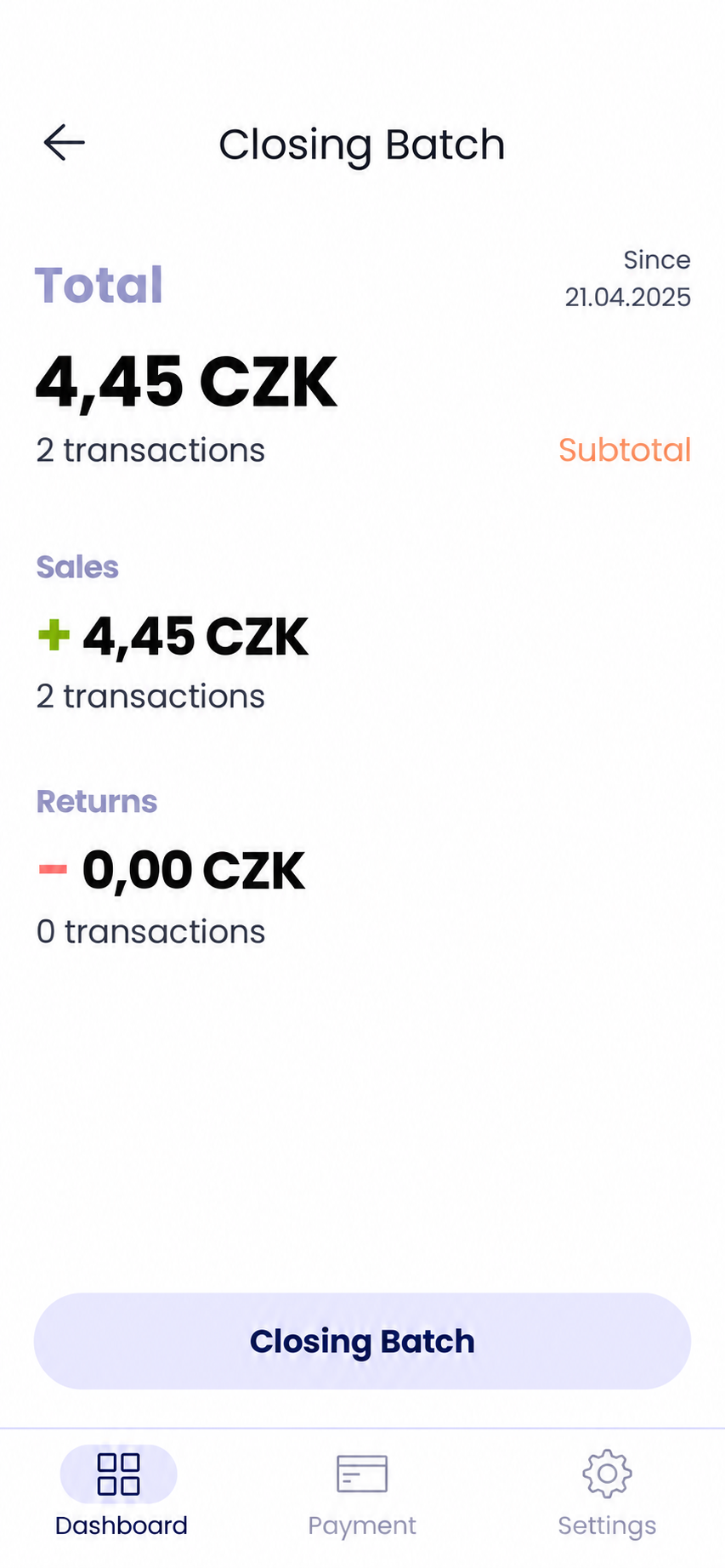
Total and subtotal on the payment terminal
Looking for more detailed information?
Visit the support portal for guides to all payment terminal's features, including setup and everyday use.
Do you have any questions?
We are available online weekdays from 8:00 to 20:00. Your questions will be answered as fast as possible.