
Variable symbol
Assign a custom label to the payment. This makes it easier to link it to an invoice, order, or reservation.
How it works
When entering a payment at the terminal, you can add a variable symbol up to 20 characters long. You can use both numbers and letters, so the label can be customized to match how you track your orders.
Along with the transaction, this information is transferred to the Client Portal, where you’ll find it in the “Client ID” field. You can use this identifier to locate the payment. This is not the “VS” field for the payment, nor is it the variable symbol for a summary transfer to your bank account.
When to use it
When paying an invoice at the store, making a reservation payment, or picking up an order. When a customer pays by card, the transaction is immediately recorded as belonging to the corresponding document.
How to get started
On the payment entry screen, edit the variable symbol field. Use the same designation as in your records so you don’t have to distinguish between payments based solely on the amount and time.
What might that look like?
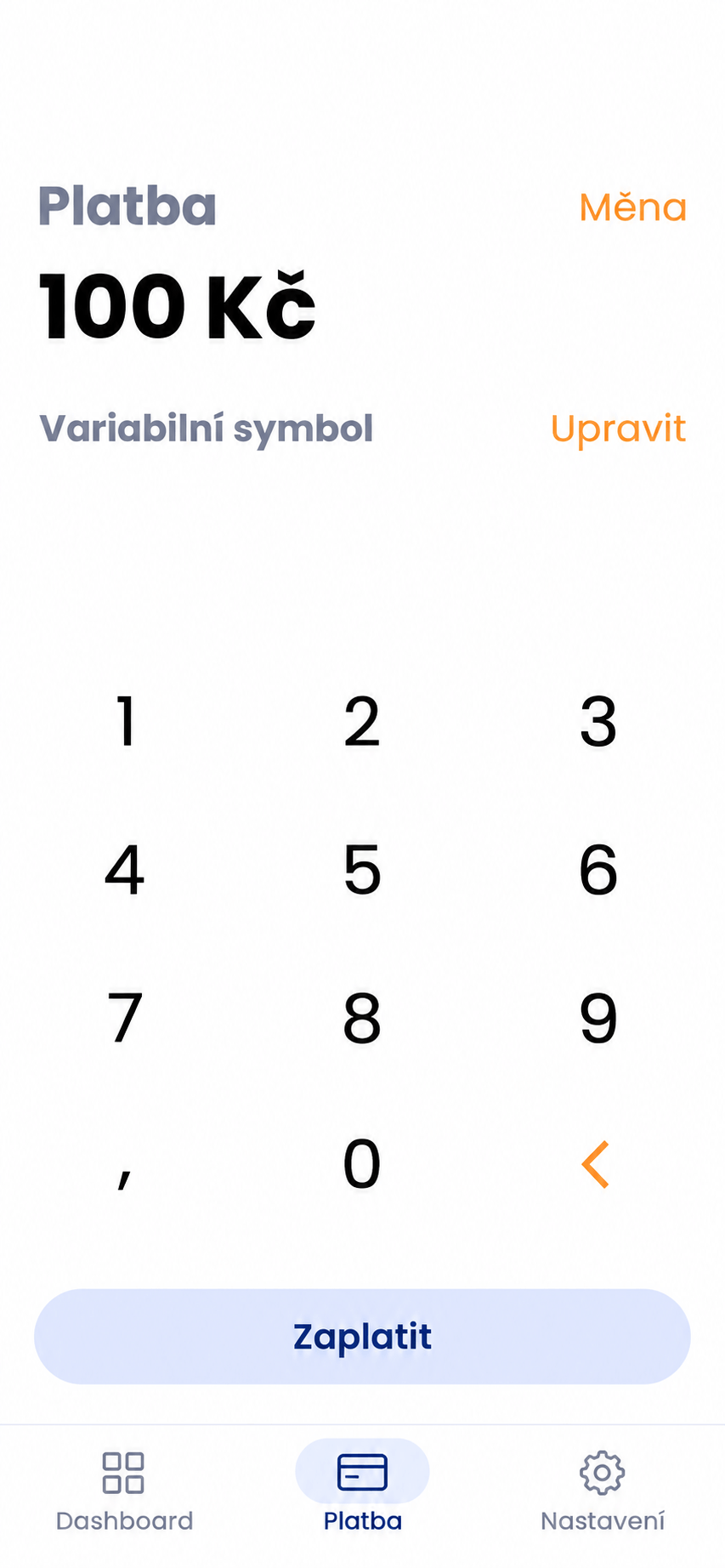
Payment Preview
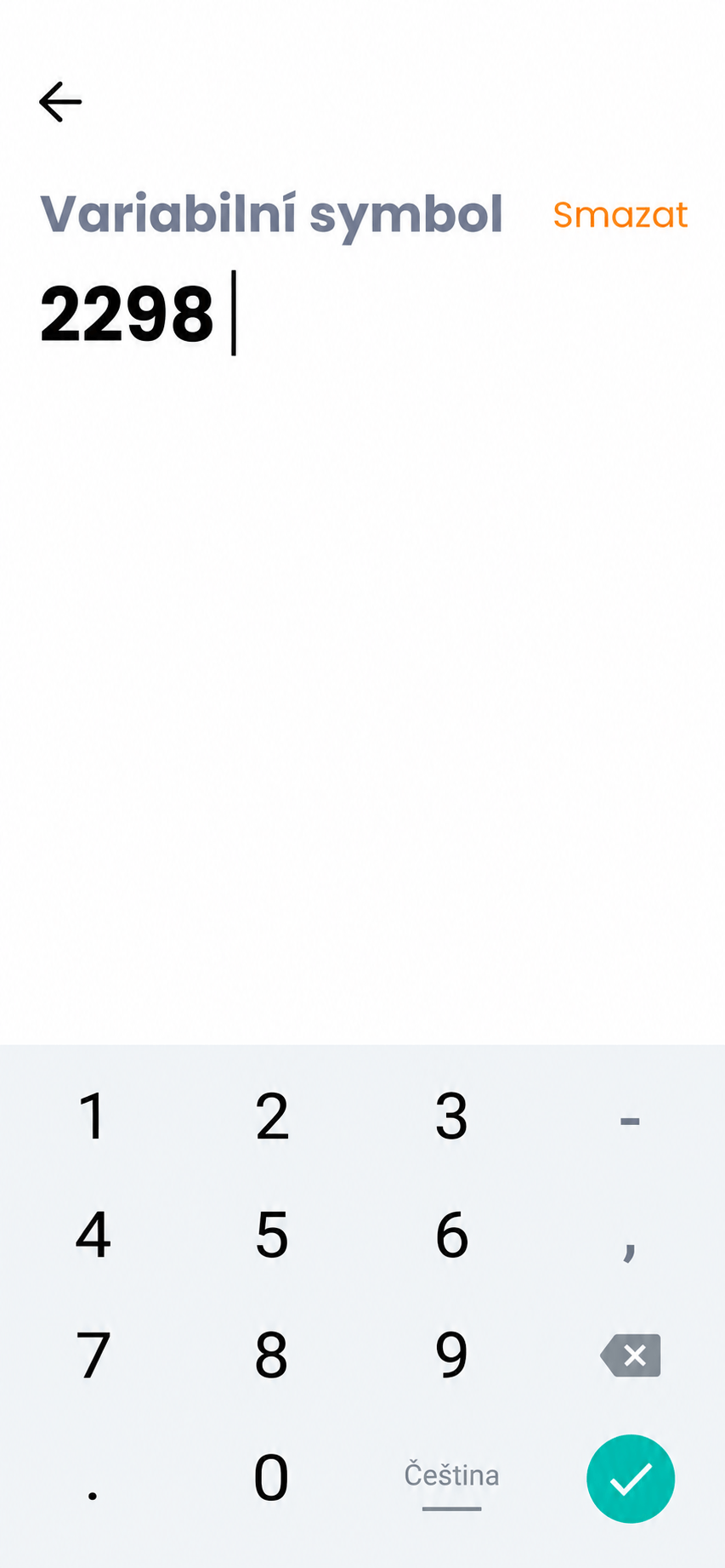
Option to enter a variable symbol
Looking for more detailed information?
Visit the support portal for guides to all payment terminal's features, including setup and everyday use.
Do you have any questions?
We are available online weekdays from 8:00 to 20:00. Your questions will be answered as fast as possible.