
Payment cancellation
Cancel a payment that is no longer intended to be processed. You can cancel an unpaid transaction with just a few clicks.
How it works
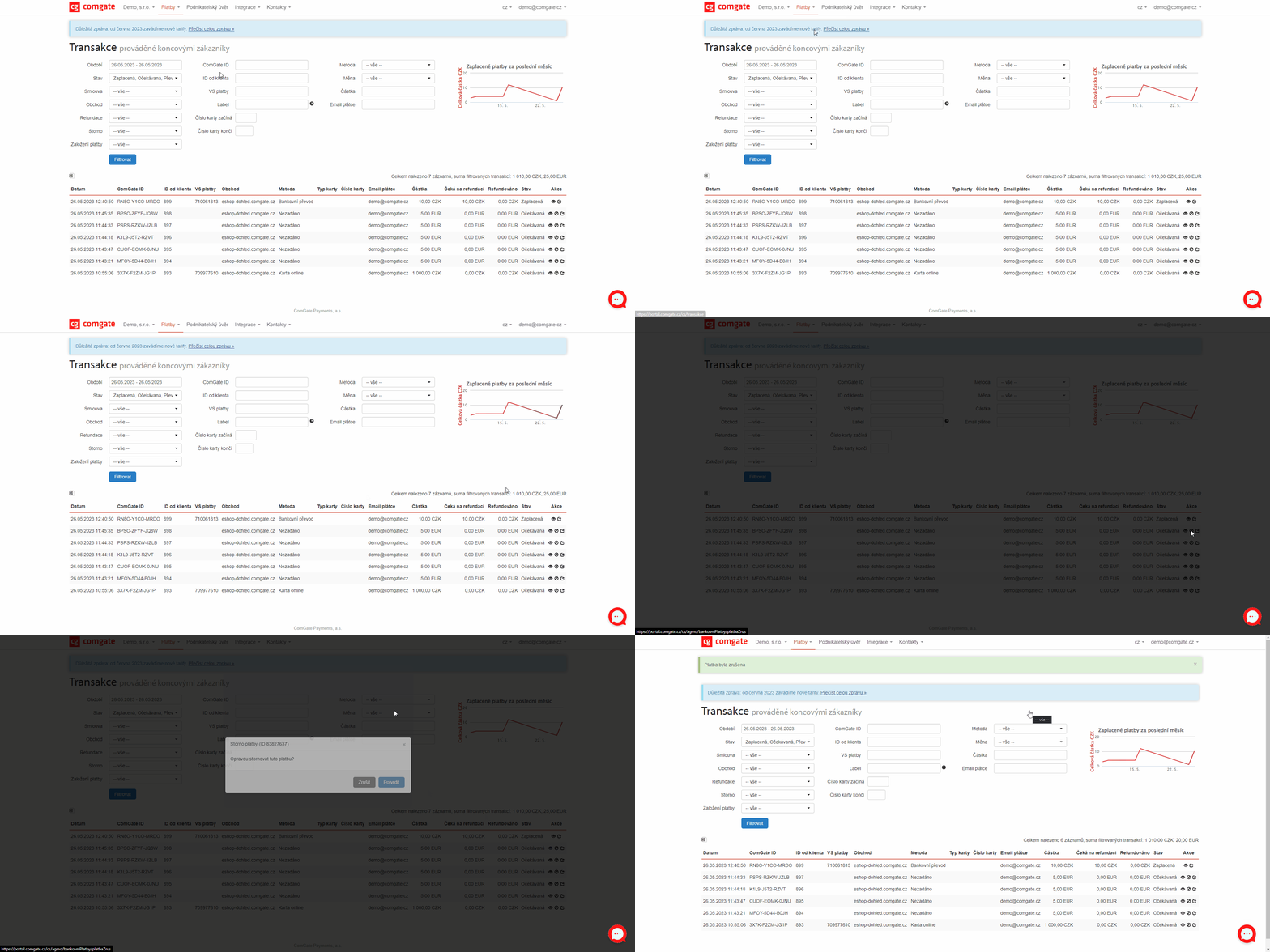
The cancellation feature cancels a payment that has not yet been processed and changes its status to “unpaid.” The customer can no longer pay for it. You’ll use this feature when a customer cancels an order or when an order is not supposed to be completed.
You can cancel a payment directly in the Client Portal by clicking the button next to the transaction, or automatically via the API for a connected e-shop. Cancellation is only possible until the payment has been processed. If you want to return a payment that has already been processed, use a refund instead of cancellation.
When it is useful
A cancellation is appropriate for orders that the customer cancels or that are not to be paid for.
You'll appreciate the payment cancellation feature if

you need to cancel payments that were set up incorrectly,
you handle orders that customers have canceled,
you want to keep track of everything without any unnecessary outstanding payments.
What can it look like?
Looking for more detailed information?
Visit the support portal for guides to all payment gateway features, including setup and everyday use.
Do you have any questions?
We are available online weekdays from 8:00 to 20:00. Your questions will be answered as fast as possible.